PartyPass™ · NFC invitations

The invitation that can’t be forwarded.

PartyPass is a small NFC tag you keep. Tap it to a guest's phone and their invitation opens right there, with nothing to install. Each tap creates a one-time link that only works on that phone, so it can't be passed along. One tag invites as many people as you like.

No app for guests One tag, unlimited guests Works with any free Luau event
How it works

You keep the tag. You tap the guest.

A PartyPass is not something you hand out. It stays in your pocket, and you use it to invite people one tap at a time.

01Claim
Claim your tag

Tap a new PartyPass with your phone. It opens a claim page; sign in, assign it to your event, and it is yours. You can manage every tag you own from Dashboard → PartyPass.

02Carry
Keep it with you

The tag stays with you, not the guest. It can be a card on your keys, a key fob, or a custom shape with your organization’s branding. Every co-host carries their own.

03Tap
Tap it to a guest’s phone

When you meet someone you want at your event, hold your PartyPass to their phone. Their invitation opens right there. On iPhone it is an App Clip; on Android it is the event page in the browser. Nothing to install.

04Repeat
Tap the next person

Each tap creates a brand-new invitation link for that one phone. The tag is never used up. Tap ten people or a thousand; every one of them gets their own link, and none of them can pass it on.

What the guest sees

The invite opens in seconds, with nothing to install.

On iPhone, the tap launches a Luau App Clip: a small piece of the app that runs without a download or an account. The guest sees your event and three buttons: I'm going, Maybe, Can't make it. During check-in, the same screen becomes Check in now.

On Android, the tap opens the event page in the browser. Either way, first-time guests confirm a phone number with a text code, and that is the whole setup.

Organizations can brand both the tag and this screen.

Ask about custom branding
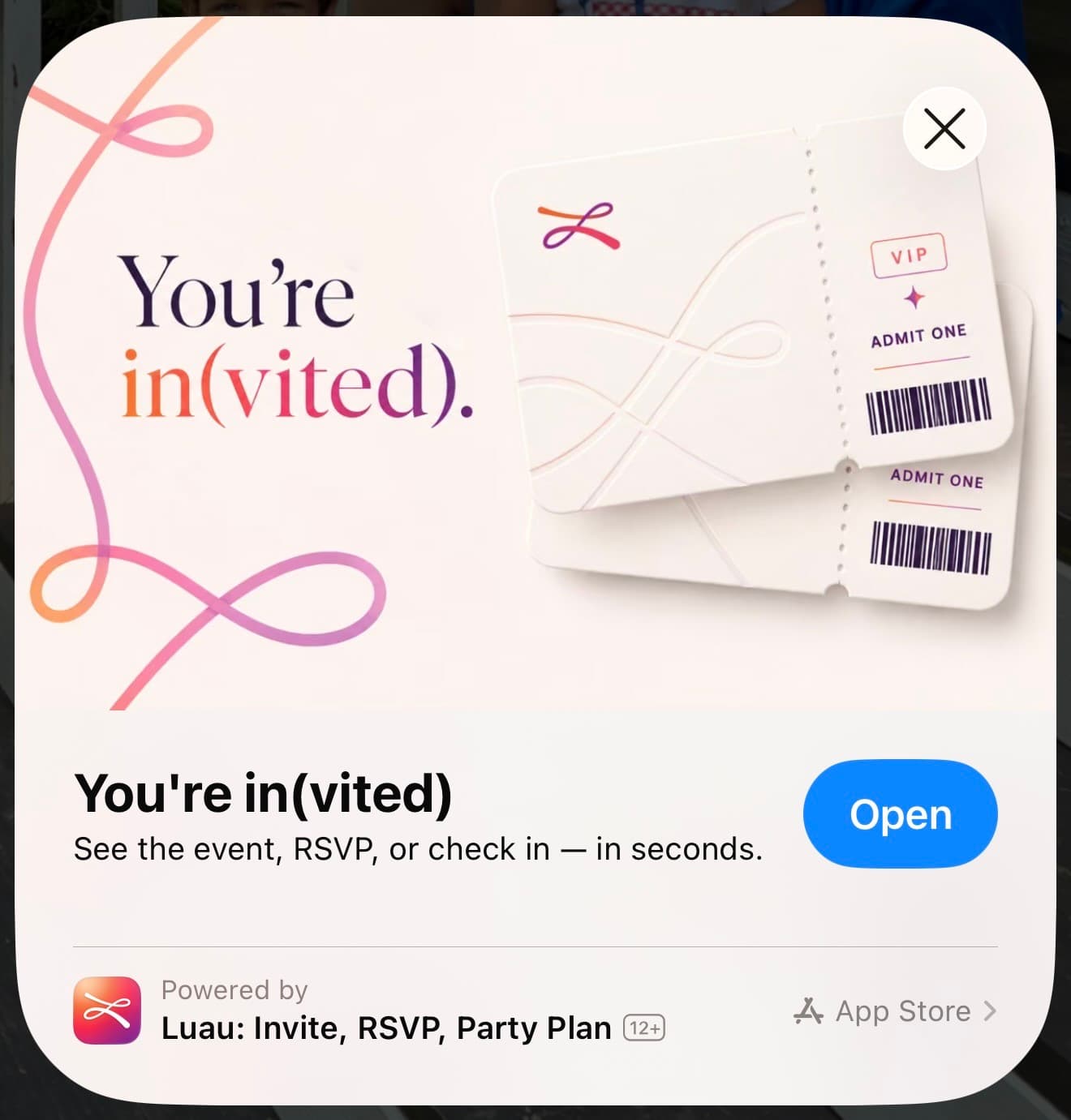
The PartyPass App Clip card on iPhone: “You’re in(vited).” with two Luau admit-one tickets, an Open button, and “See the event, RSVP, or check in — in seconds.”
Why it can’t be forwarded

Each tap is a new link, checked by Luau, locked to one phone.

An ordinary NFC sticker opens the same web address every time, and an address can be copied. PartyPass is different in four ways.

Every tap creates a new link

The tag is an NXP NTAG 424 DNA chip. Each time it is tapped, it writes a different, encrypted web address that includes a tap counter and a cryptographic signature. The same tag never produces the same link twice, which means there is no fixed address for anyone to copy.

Luau checks the signature before showing anything

Our server recomputes the signature for each tap using NXP’s published procedure (AN12196) and compares it in constant time. A link that was edited, guessed, or produced by a chip we have not registered fails the check and is refused.

A used link stays used

Every verified tap is recorded with its counter. If the same link arrives again, or a counter goes backwards, Luau answers “Tap already used.” So the link a guest could copy out of their browser has already been spent by the time they copy it.

The invite only opens on the phone that was tapped

A successful tap unlocks the event for that one device. Pasted into a text and opened on another phone, it returns “This link can only be used from the device that tapped the PartyPass.” Two locks, and a forwarded invite fails both.

For the engineering detail, read how PartyPass makes invites that can’t be forwarded.

Host controls

Four settings, all in your event’s PartyPass Settings.

Require a tap to RSVP

Turn on Require PartyPass Tap to RSVP and the event page is hidden from anyone who has not been tapped. Hosts and co-hosts always get through. The Share button disappears.

Put a time limit on each tap

Give each invitation a window to respond: 15 minutes, 1 hour, 4 hours, or 24 hours after the tap. The guest sees a countdown, like holding a seat at the movies. When it expires, a fresh tap opens a fresh window.

Deactivate a lost tag

One switch in your dashboard and that tag’s taps stop working. Every claim, assignment, release, and tap is logged, so you can see how many times each tag was used and when.

Reuse tags for the next event

Unassign, reassign, or release a tag from Dashboard → PartyPass, or move all your tags to a new event at once. The same fobs serve your chapter or club all year.

Who uses it

Hosts who care exactly who shows up.

Chapters and campus organizations

Members carry a branded key fob and tap the people they meet. The guest list is exactly who a member tapped, not whoever saw the group chat.

Birthdays and house parties

Invite people face to face. Each tap is that person’s invite, and it stays theirs.

Launches and invite-only nights

Your team taps to invite in the weeks before, then taps guests in at the door on the night.

Clubs, teams, and recurring groups

Reassign the same tags to next month’s event. The invite goes to the person, not the thread.

Check-in and attendance

The same tag checks guests in.

Before the event, a tap invites. Once check-in opens, a tap records that the guest is here. You end up with a list of who actually came, not who said they would.

Turn on check-in and set when it opens

In the event’s PartyPass Settings, turn on Use PartyPass for Check-in and choose a lead time: at event start, or 30 minutes, 1 hour, 2 hours, or 4 hours before. From then until the event ends, a tap checks a guest in instead of inviting them.

Tap guests in as they arrive

A host or co-host at the door taps each guest’s phone. On iPhone the App Clip shows Check in now; in a browser it is I’m Here — Check In. Or mount a tag at the entrance and let guests tap it themselves.

Get a real attendance list

A QR code that opens a form gets texted to friends who never showed up. A PartyPass check-in is a verified tap on one phone, tied to a signed-in account. If someone was not tapped, they were not there.

Watch the list instead of the door

The event page shows who is checked in, how they got in, and who is still missing, with a Check in button next to each name. Two hours after check-in closes, you get a recap of who came, who walked in, and who did not show.

No tags? Luau also checks guests in with a printed QR code, or automatically by location for iPhone users who turn it on. See check-in and attendance tracking.

How it compares

PartyPass, NFC invitation cards, and plain links.

Most digital invitations are a link, and anyone who has the link has the invite. NFC invitation cards are given to each guest and make opening that link easier, but the address on the chip never changes. PartyPass is a tag the host keeps, and every tap is checked.

PartyPassNFC invitation cardsLink invitations
How the guest gets the inviteYou tap your tag to their phone. The invite opens on the spot.You hand or mail them a card. Its chip opens a fixed web address.You send a link by text or email.
Can they forward it?No. Each tap makes a one-time link that only opens on the phone that was tapped.Yes. The address is the same every tap and can be copied from the browser.Yes. Anyone with the link has the invite.
Can a copied link be reused?No. Luau records every tap and refuses a link it has seen before.Yes. A fixed address has nothing to check.Yes.
How many guests per tagUnlimited. One tag, reassigned event to event.One card per guest.Not applicable.
Does the guest need an app?No. iPhone opens an App Clip; Android opens the browser.No.No.
Check-in on the daySame tag. During the check-in window, a tap checks the guest in.Not usually.A separate tool, if any.
RSVPs, reminders, guest questionsIncluded with every free Luau event.Depends where the address points.Included.
How the guest gets the invite
PartyPass
You tap your tag to their phone. The invite opens on the spot.
NFC invitation cards
You hand or mail them a card. Its chip opens a fixed web address.
Link invitations
You send a link by text or email.
Can they forward it?
PartyPass
No. Each tap makes a one-time link that only opens on the phone that was tapped.
NFC invitation cards
Yes. The address is the same every tap and can be copied from the browser.
Link invitations
Yes. Anyone with the link has the invite.
Can a copied link be reused?
PartyPass
No. Luau records every tap and refuses a link it has seen before.
NFC invitation cards
Yes. A fixed address has nothing to check.
Link invitations
Yes.
How many guests per tag
PartyPass
Unlimited. One tag, reassigned event to event.
NFC invitation cards
One card per guest.
Link invitations
Not applicable.
Does the guest need an app?
PartyPass
No. iPhone opens an App Clip; Android opens the browser.
NFC invitation cards
No.
Link invitations
No.
Check-in on the day
PartyPass
Same tag. During the check-in window, a tap checks the guest in.
NFC invitation cards
Not usually.
Link invitations
A separate tool, if any.
RSVPs, reminders, guest questions
PartyPass
Included with every free Luau event.
NFC invitation cards
Depends where the address points.
Link invitations
Included.
Get PartyPass for your next event.

Tags are sold directly, in standard cards or custom-branded shapes for organizations. Email reach@luau.co with a line about your event or group, and we'll follow up with options and pricing. Creating your Luau event is free.

Email us about tags
Questions

Questions hosts ask about PartyPass.

What is PartyPass?
PartyPass™ is a small NFC tag that hosts and co-hosts keep. Tap it to a guest’s phone and their invitation opens right there, with nothing to install. Each tap creates a one-time link that only works on that phone, so the invite can’t be forwarded. One tag can invite as many people as you like.
Do I give the tag to my guests?
No. The tag stays with you. You tap it to each guest’s phone, and the link that appears on their phone is their invitation. You can use the same tag for as many guests and as many events as you like.
How does it stop someone forwarding the invite?
Two ways. First, every tap creates a new, signed link, and Luau refuses any link it has already seen. Second, the invite only opens on the phone that was tapped. A copied link is both already used and on the wrong phone.
What if a guest copies the link and sends it to a friend?
The friend sees a refusal, not the event. The link was spent when it first opened, and it is tied to the original phone.
Do guests need the Luau app?
No. On iPhone the tap opens an App Clip, a small piece of the Luau app that runs without a download, showing the event and I’m going, Maybe, and Can’t make it. On Android and other phones it opens the event page in the browser. First-time guests confirm a phone number with a text code.
Can the tags be custom branded?
Yes. Tags can take any form factor, from cards to key fobs, with your organization’s branding. Greek-letter fobs for chapters are popular. The App Clip invite can carry your branding too.
Can I make a tap the only way to RSVP?
Yes. Turn on Require PartyPass Tap to RSVP in the event’s PartyPass Settings. Anyone who has not been tapped sees a page asking them to get tapped instead of the event. You can also give each tap a response window of 15 minutes, 1 hour, 4 hours, or 24 hours.
Can PartyPass take attendance?
Yes. Turn on Use PartyPass for Check-in and the same tags switch to check-in mode from your chosen lead time until the event ends. Tap each guest’s phone at the door, or mount a tag for them to tap. The event page shows who is in, and you get a recap two hours after check-in closes.
Can I reuse tags for another event?
Yes. Unassign, reassign, or release any tag from Dashboard → PartyPass, or move all your tags to a new event at once from that event’s PartyPass Settings.
What if I lose a tag?
Deactivate it from your dashboard and its taps stop working immediately. Tags Luau has not registered are refused as well.
How do I get PartyPass tags, and what does it cost?
Tags are sold directly, including custom-branded runs for organizations. Email reach@luau.co with the subject PartyPass and tell us about your event or group, and we will follow up with options and pricing. Creating the Luau event itself is free.

Your community is out there.

Throw the thing. Send the invite. Make the moments your group will be talking about for years.

Free to use. No ads. No app required.